Showing posts with label Problems. Show all posts

Tuesday, 22 January 2013

[GM] AI and depth problems fixed~


As I told in that post [link] I had problems with AI and depth.

Well, I couldn't resolve why the alarm doesn't work so I tried other solution... but it didn't work too. I wanted throw the pc out the window but then my dear daddy reminded me I used an "create even" instead of "step event"... so basic problem! *sigh*

GMZ file: http://rghost.net/43239060

The new AI code are:
  • Create even:
    • The piece of code:


  • Alarm 0:  set horizontal speed = -walk_speed.
  • Step Event:


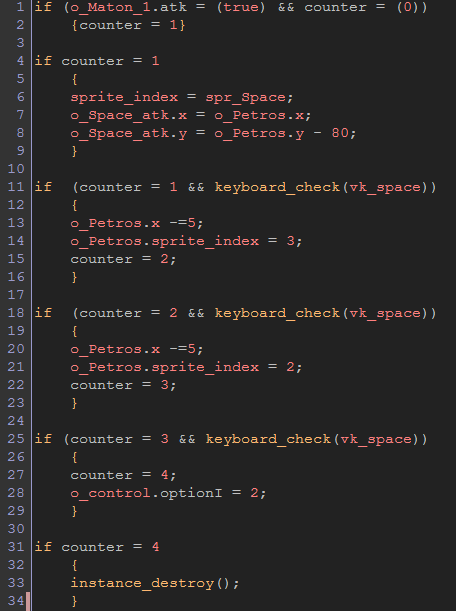
I add a "space button". The button appear when Petros is under attack and if you press "space", the battle'll end. The code is:
  • Create Event: a piece of code: counter = 0.

  • Step Even:


On the other hand, the depth problems was truly easy to solved:


But to programme in GM is like watch Lost TV serie... I resolve a problem and then I have two new problems *sigh* OTL Now, my problem is "Space button" doesn't work correctly because counter = 1 go to counter = 4 directly and I don't understand why ;__;.

Monday, 21 January 2013

[GM] My first AI

I'm happy and proud because I did my first AI ! and I did it without help~ (for now...U teehee).

However, I have problems with the easiest function, lol.

GMZ file: http://rghost.net/43213252


I have basically two problems:
  • I tried to script a "automatic depth" (according to "y edge") but objets superimpose badly yet :S
  • I need two men follow to player, atack him and, when his life was 0, leave the room. I got "follow" and "atack" actions but I didn't get to "reduce life to 0" :S And sometimes (mainly when I put only a man on the room), men do odd movements and try "run away" (I programmed a coward AI, lol).


Saturday, 19 January 2013

[GM] Advances in up-down movements

I had been working in the up-down movement and I did some advance :D, but I had some problems too OTL xD :(


New gmz file: http://rghost.net/43154413.

I get o_Alec to be able up-down correctly but he can't jump because I don't know how programme "gravity" in this case :/ By the way, o_Kim_v2 cannot up-down (but she can jump) and I don't understand why o_o Theoretically, they have the same up-down movement script...


The scripts are...

Friday, 18 January 2013

[GM] Some basic movement problems resolved

As I told in this post [link], I had many stupids problems with basic movement. Naygath offered to help me friendly and write a new script :)!


The script is the next one~

Thursday, 17 January 2013

[GM] Movement problems

I think GM hate me...
Now, I'm having problems with the movement in y edge on the road and the jump animation. I had read and watch a lot of tutorials but I don't know what I should do to resolve the problems OTL.


I did two player version. First, I tried to use scripts (o_Kim_v1) but I can't jump correctly (animation jump neither) and I don't know how to do top-bottom displacement :/ Then, I tried to use "drag and drop actions" (o_Kim_v2) and I programmed if Kim is in "blue zone", she will be able to "up" walking... but it doesn't work "OTL Besides, I cannot animate jump and walk correctly too.

I don't know what I should do now and it's frustating! OTL

Tuesday, 15 January 2013

[GM] Scrolling background problems ~> resolved!

Surpriiiiseee, I'm back~! (read with Jax voice *lol*)
Last weekend I started Petros at Law platform game with GM. I haven't too much expectations with this proyect because I'm very very noob yet with GM... so first, I'm trying to learn the platform programming steps. For that, I'm using Scott Pilgrim Game's sprites.


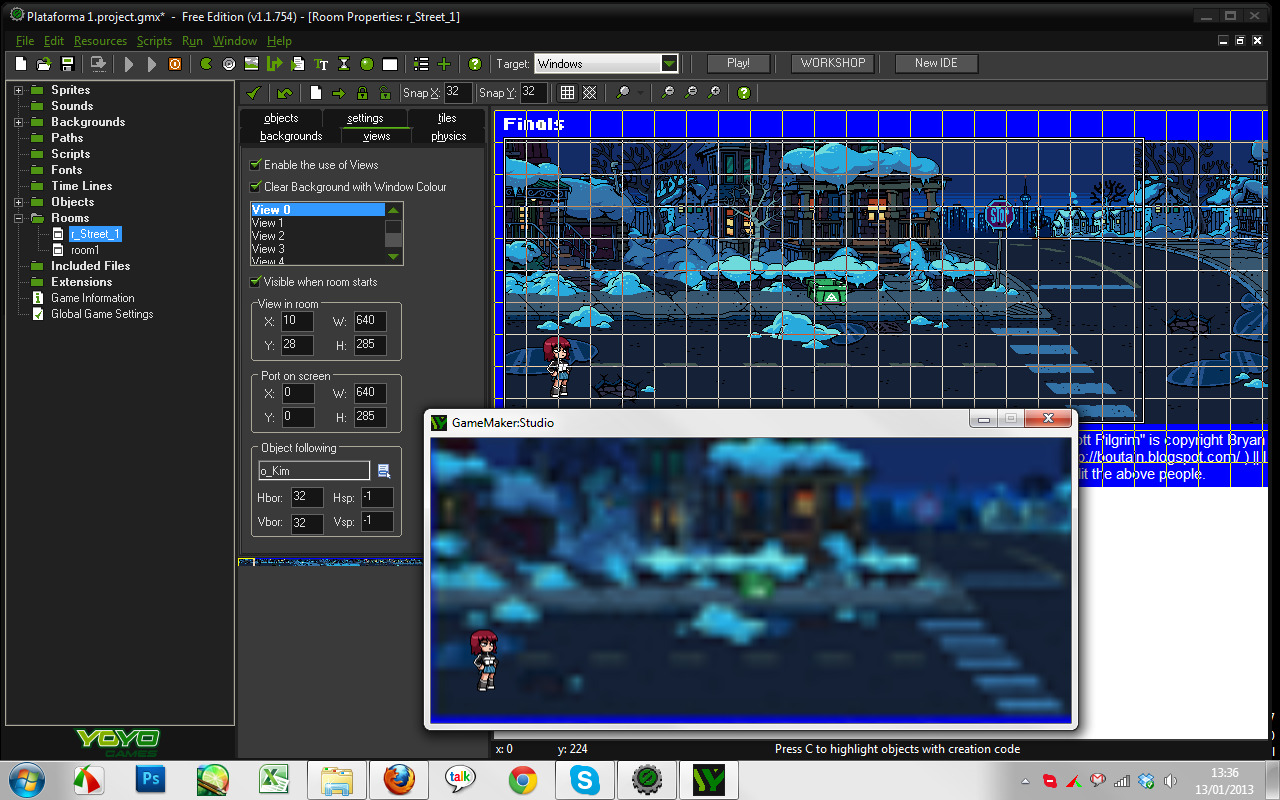
So...  I imported Kim's stand and walking sprites and a street background. Then, I made a room and... oh, sh** ...blurry?


I asked for it in the forum and addono and Naygath explained the reason to me:
  • I should disable interpolate colors between pixels (options; global game settings> windows> graphics) if I want a "pixel art effect".
  • Images cannot be larger than 2048px so I had cut the background to pieces.
Then, I had to combine the pieces in the room:


Besides, it's necessary select and "object_following".

Now, the room looks nice :D